Accounting DeskThe month's money work, in batches.
Every other money screen works one record at a time.
What it does
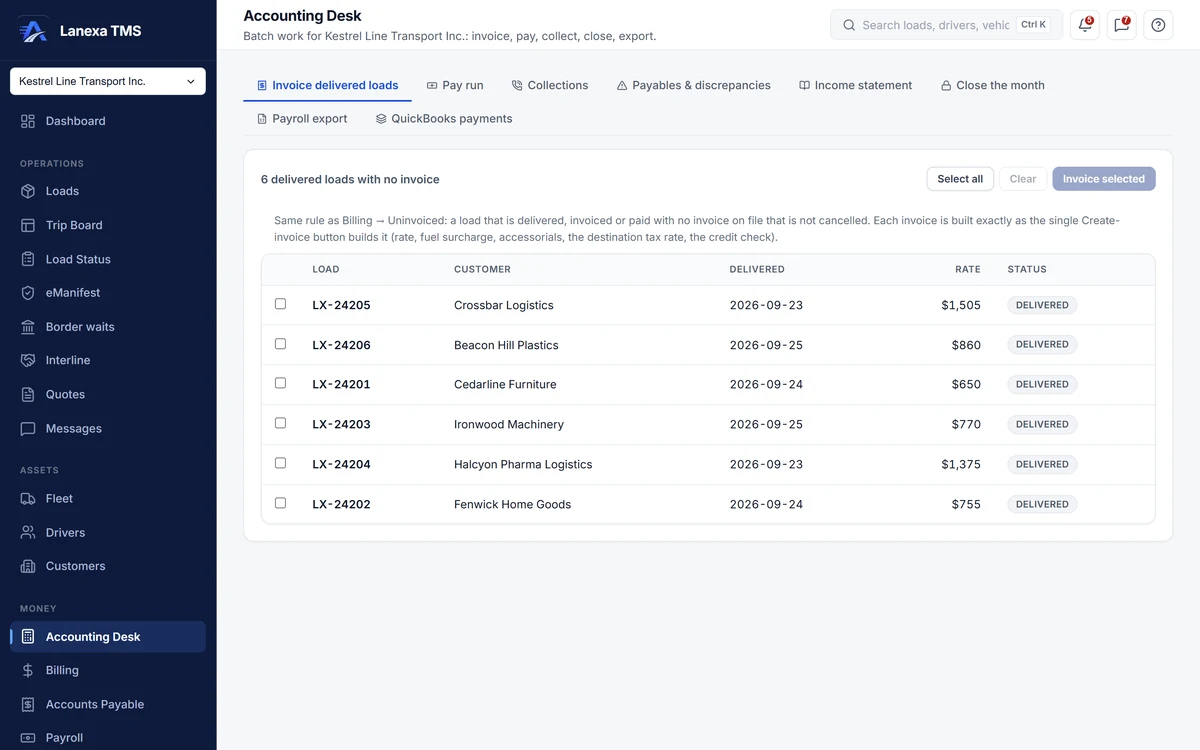
Invoice every delivered load
See every delivered load with no invoice, tick them and invoice them in one pass. Each becomes a real invoice with the same numbering, POD check and duplicate guard as Billing; a load that cannot be invoiced is listed with its reason, and the rest carry on.
Cut a pay period for every driver
Set your pay calendar — weekly, every two weeks, twice a month or monthly — then create a draft settlement run for every driver with pay rules in force, and calculate them all. Drivers already covered are skipped with the reason. Approval and payment stay one run at a time, because each one is a person's pay.
Collections as a worklist
Every overdue invoice, worst first, with its reminder stage and the reason for it. Copy a ready-written reminder, record a promise to pay that pauses the ladder, and note why a customer is holding payment. Nothing is sent automatically.
Payables and held bills
Payables aged into current, 1–30, 31–60, 61–90 and 90-plus days, a queue of bills that came in above their rate confirmation, and every open bill oldest first. Accept a difference with a written reason, then approve.
Income statement and month-end
Revenue, expenses and net income for any date range, month by month, read from the general ledger's posted documents. Soft-close a month to stop routine edits or hard-close it to lock it; reopening needs a written reason.
Hand-offs to the bureau and QuickBooks
Export a payroll bureau file with each driver's name, pay breakdown and GL code, as Excel or CSV. Push recorded customer payments into QuickBooks Online against invoices already there, one at a time or all at once.
The detail, when you want it
Everything live in Accounting Desk11
- Works one company at a time, because money does
- Buttons you cannot use are disabled and say which permission is missing
- Per-load results appear as the invoice batch runs
- Credit-limit warnings shown on the batch, never blocking it
- Eight recent pay periods to choose from
- Reminder stages: gentle, firm, final, promise pending, promise broken
- Days overdue and the amount outstanding in each invoice's own currency
- Six aging tiles with amounts and bill counts
- An income statement note on what the figures cover
- A count of payments not yet in QuickBooks
- Every batch action recorded in the activity log
Which plan includes itThe Accounting Desk is on Start and up. On Start, batch invoicing, collections, the pay run, the payables queue, month-end close, the payroll export and the QuickBooks payment push all work.
The income statement reads the general ledger, which is on Fleet and up. Compare plans
How we count182 live capabilities of 189 catalogued.
Each capability is one control, field, tile, column or disclosed number, counted one by one. The registry