DriversThe paper that keeps each driver legal, watched.
A driver's right to haul is made of paper that expires — licence, medical, travel document, FAST card, dangerous-goods certificate.
What it does
Expiry dates at a glance
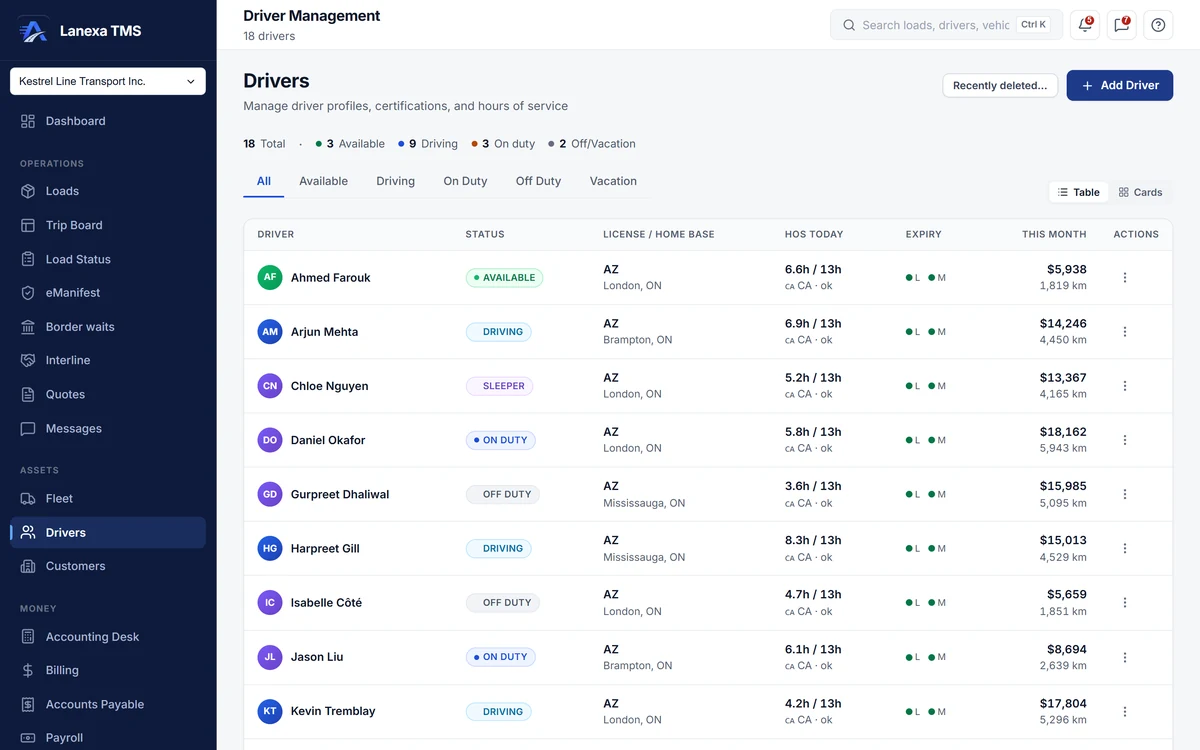
Licence and medical expiry are required on every driver, and each row shows them as a green, amber or red dot — amber inside 30 days, red once expired. Credentials expiring within 30 days surface on the dashboard, and Driver 360 lists every expiry worst first.
Credentials with the scan attached
File thirteen kinds of credential with the number, issuing authority, dates and a scan. Scans are stored privately and open through a link that expires after an hour, and each one shows who filed it and who last edited it.
Ready for the border
Keep citizenship, the travel document (fourteen types), FAST card and TDG certification, each with its expiry, on the driver. Driver 360 turns them into readiness chips — FAST, travel document, TDG, US medical and Clearinghouse — before a cross-border load.
The DQ file, worked out and printed
On Start and up, the driver qualification checklist — application, previous-employer inquiries, road test, driving record, annual review and, for US work, the Clearinghouse query — is worked out from what is on file, with a gap count and next due dates. Print the whole file as one PDF packet.
Time off dispatch can see
Book vacation, sick days or other leave on the driver. The roster counts who is on leave today, and when a dispatcher picks a driver who is on leave, Lanexa lists them last and asks before assigning them anyway.
A default truck, in one step
Assign a driver's default truck and Lanexa releases the previous truck to available and marks the new one in use in the same step, so a truck is never left half-assigned.
The detail, when you want it
Everything live in Drivers12
- The roster as a dense table or cards
- This month's miles and revenue per driver, revenue masked for roles without rate visibility
- Previous-employer inquiries tracked under the DQ checklist
- Employment dates, driving abstract date and points
- A preferred channel on each driver: WhatsApp, SMS or email
- Driver 360: loads, miles and on-time delivery for any date range
- Driver 360: gross pay, deductions, net pay and pay per mile
- Driver 360: the safety record from the accident register
- Export a driver's loads to CSV
- A read-only summary of the driver's pay package from Payroll
- Lifetime movement history on the driver
- Delete a driver and restore them; their loads and pay history stay
Which plan includes itThe roster, credentials and expiry tracking, time off and default-truck assignment are on every plan, including Solo.
Driver 360, driver qualification files and movement history are on Start and up. Hours-of-service clocks come from a connected Samsara or Geotab ELD, a Fleet feature. Compare plans
How we count68 live capabilities of 91 catalogued.
Each capability is one control, field, tile, column or disclosed number, counted one by one. The registry
Does Lanexa track hours of service?
Yes, from your ELD. On the Fleet plan, connect a Samsara or Geotab account and the driving, on-duty and cycle clocks are read straight from the device.
Do my drivers need an app?
No. Drivers work from links and messages in a phone browser; there is nothing to install.
Each driver's record holds their preferred channel — WhatsApp, SMS or email.